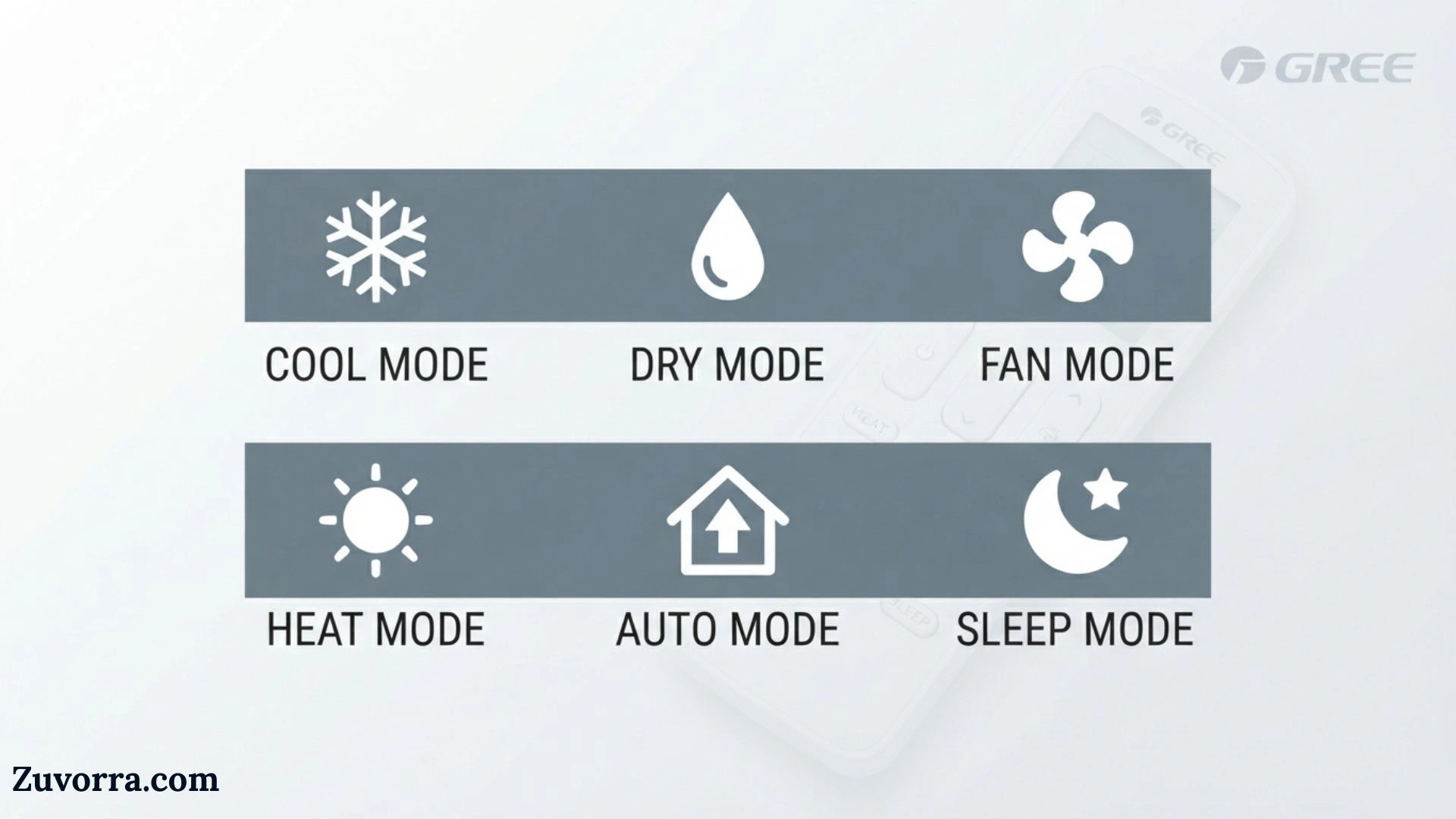
A Gree air conditioner remote uses small icons to show the active operating mode, fan speed, airflow direction, timer, temperature source, and special features. The most common Gree AC remote symbols are the snowflake for cooling, sun for heating, water droplets for dry mode, fan blades for fan-only mode, and a circular or triangular icon for automatic operation.
Understanding these symbols matters because selecting the wrong setting can make a room feel too humid, too warm, noisy, or uncomfortable. Some icons also activate advanced functions such as I Feel, X-Fan, Sleep, Turbo, Wi-Fi, Quiet, Freeze Guard, and remote lockout.
The exact display varies by remote and air-conditioner model. A symbol shown on one Gree remote may be unavailable or activated differently on another, so the model-specific owner’s manual remains the final authority.
Quick Meaning
Gree AC remote symbols identify the air conditioner’s current mode and enabled features. A snowflake means cooling, a sun means heating, droplets mean dehumidification, and a fan means air circulation without active cooling or heating. Other icons control fan speed, swing direction, timers, sleep settings, Wi-Fi, coil drying, temperature sensing, and energy-saving functions.
Gree AC Remote Symbols Overview Table
| Symbol or Display | Primary Meaning | What It Does | Common Availability |
| Snowflake | Cool mode | Lowers room temperature and removes some moisture | Most cooling models |
| Sun | Heat mode | Warms the room | Heat-pump models only |
| Water droplets | Dry mode | Reduces humidity using low-capacity cooling | Most mini-splits |
| Fan blades | Fan mode | Circulates air without heating or cooling | Most models |
| Auto icon | Auto mode | Selects or regulates operation automatically | Most models |
| Fan bars | Fan speed | Shows low, medium, high, or automatic airflow | Most models |
| Curved airflow lines | Swing | Moves louvers vertically or horizontally | Model dependent |
| Crescent moon | Sleep mode | Adjusts temperature gradually for nighttime comfort | Many models |
| Swirl or turbine | Turbo | Runs at very high output to reach the setpoint quickly | Many models |
| Person/thermometer icon | I Feel | Uses the remote’s sensor to measure temperature nearby | Selected models |
| Fan icon marked X-FAN | Coil-drying function | Keeps the indoor fan running briefly to dry the coil | Selected models |
| Clock | Current time | Shows the remote’s clock setting | Many models |
| ON/OFF timer | Scheduled operation | Starts or stops the unit at a programmed time | Most models |
| Padlock | Remote lockout | Prevents accidental setting changes | Many models |
| WiFi | Wireless control | Indicates Wi-Fi is enabled or being configured | Wi-Fi-capable models |
| House with thermometer | Indoor temperature | Shows or requests room-temperature display | Model dependent |
| Plain house | Set temperature | Identifies the selected target temperature | Model dependent |
| 46°F or 8°C | Freeze Guard | Maintains a low protective heating temperature | Heat-pump models |
| SE | Energy-saving mode | Automatically adjusts operation for lower consumption | Selected models |
| Headphones or ear icon | Quiet mode | Reduces fan noise and output | Selected premium models |
| Light bulb | Display light | Controls the indoor unit’s panel light | Many models |
| Signal waves | Transmission signal | Flashes when the remote sends a command | Most models |
| Tree icon | Air purification | Activates an ionizer or air-cleaning feature where fitted | Selected models |
Gree identifies its wireless remotes as general-purpose controllers in some manuals. This means a remote may display buttons or icon positions for functions that the connected indoor unit does not support. Pressing an unsupported control may have no effect.
What Do Gree AC Remote Symbols Mean?
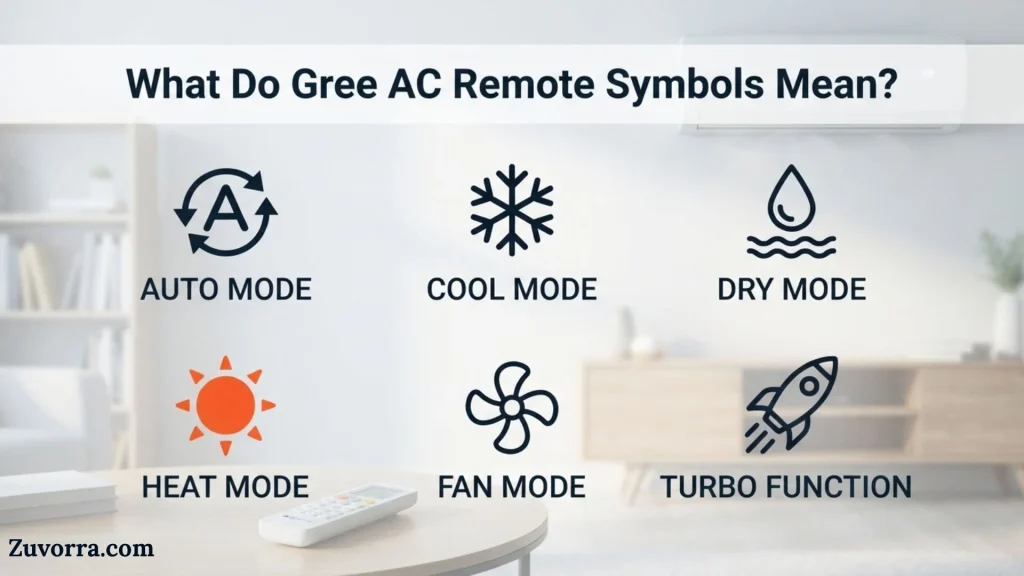
The symbols are a visual language for the air conditioner. Instead of displaying long words on a small LCD screen, the remote uses recognizable pictures to communicate what the system is doing.
These icons fall into four main groups:
- Operating-mode symbols, such as Cool, Heat, Dry, Fan, and Auto.
- Airflow symbols, including fan-speed bars and swing-louver indicators.
- Comfort-function symbols, such as Sleep, Turbo, Quiet, and I Feel.
- Control-status symbols, including Wi-Fi, timer, clock, signal, temperature display, and lockout.
The icon normally appears after you press the corresponding button. If the icon does not appear, the function may be unavailable, restricted in the current mode, or unsupported by your indoor unit.
For example, Turbo may work in Cool and Heat but not in Dry mode. X-Fan usually works only after cooling or dehumidifying. Quiet mode may also be limited to heating and cooling.
Main Gree Operating Mode Symbols
Snowflake Symbol: Cool Mode
The snowflake means the air conditioner is actively cooling the room.
In Cool mode, the compressor removes heat from indoor air and transfers it outdoors. The indoor fan then distributes cooler air through the room. This mode also removes some moisture as condensation forms on the cold indoor coil.
Use Cool mode when:
- The room temperature is too high.
- You want direct temperature control.
- Both heat and humidity are uncomfortable.
- You need stronger cooling than Dry mode provides.
Set a realistic temperature instead of choosing the lowest available setting. Selecting an extremely low number does not necessarily cool the room faster. Turbo mode, fan speed, room size, insulation, outdoor temperature, and system capacity have a greater effect on cooling time.
Sun Symbol: Heat Mode
The sun icon means the unit is heating the room.
On a heat-pump model, the refrigerant cycle reverses so the system draws heat from outdoor air and releases it indoors. Heat mode is not available on cooling-only air conditioners.
A short delay before warm air begins blowing is normal. Gree documentation notes that some systems delay the indoor fan while the coil warms, helping prevent an uncomfortable blast of cold air at startup.
During cold weather, the unit may occasionally enter defrost operation. The indoor fan can slow or stop temporarily while frost is cleared from the outdoor coil. This is usually normal rather than a fault.
Water Droplets: Dry or Dehumidification Mode
One or more water droplets represent Dry mode.
Dry mode reduces indoor humidity through gentle, low-capacity cooling. The system cools the evaporator coil enough for airborne moisture to condense, but it normally operates more slowly than standard Cool mode.
Gree describes Dry mode as low-capacity cooling intended to make a space drier without necessarily making it much colder. It is especially useful during humid spring or fall weather, rainy periods, and mildly warm days.
Use Dry mode when:
- The air feels sticky or damp.
- The temperature is only slightly uncomfortable.
- You want moisture removal with less intense cooling.
- Windows or surfaces show signs of condensation.
Dry mode is not a replacement for a dedicated dehumidifier in spaces with severe moisture problems, flooding, water intrusion, or persistent mold risk.
Fan-Blade Symbol: Fan-Only Mode
The fan-blade icon means the indoor fan is circulating air without active cooling or heating.
Fan mode can help distribute air throughout a room, reduce stuffiness, or move conditioned air after the desired temperature has been reached. Because the compressor is usually off, Fan mode does not significantly lower temperature or humidity.
Do not confuse Fan mode with the fan-speed control. The first selects an operating mode. The second changes how quickly air moves while another mode is active.
Auto Symbol: Automatic Mode
The Auto icon means the system is making some operating decisions automatically.
Depending on the model, Auto mode may choose between cooling and heating, regulate fan speed, or operate according to factory temperature logic. Some remotes show no adjustable setpoint while Auto is active, while newer systems may allow temperature adjustment.
Auto mode is useful when outdoor and indoor conditions change throughout the day. However, users who want predictable cooling, heating, fan speed, or humidity control may prefer selecting a specific mode.
History and Origin of Air-Conditioner Remote Icons
Gree AC remote symbols do not come from an ancient symbolic tradition. They developed from modern product-interface design, electrical-control labeling, and internationally recognizable pictograms.
Early air conditioners relied on mechanical knobs, switches, and printed labels. As electronic controls became common, manufacturers added digital displays and infrared remotes. Small LCD screens had limited space and resolution, so pictograms became more practical than full words.
Several icons draw on familiar visual associations:
- A snowflake represents cold and cooling.
- A sun represents warmth and heating.
- Water drops represent moisture removal.
- A fan represents moving air.
- A moon represents nighttime or sleep.
- A clock represents scheduling.
- A padlock represents restricted access.
- Radio waves represent signal transmission or wireless connectivity.
This visual system allows one remote design to serve users in different countries without translating every command. However, manufacturers do not use one universal icon standard for every feature. Shapes, labels, button combinations, and availability still vary between models and markets.
Technical Interpretation of Each Symbol
Fan-Speed Bars
A row of bars shows the selected indoor fan speed. More filled bars generally mean stronger airflow.
Common settings include:
- Auto
- Low
- Low-medium
- Medium
- Medium-high
- High
- Turbo or ultra-high
Some modes restrict manual fan control. Dry mode commonly uses a low fan speed, and Auto mode may choose the speed according to the system’s programmed logic. Official Gree documentation shows that the number of available fan levels differs by model.
Higher fan speed moves more air and may help a room feel cooler quickly. Lower speed usually reduces noise and can create gentler airflow.
Vertical Swing Symbol
The vertical swing symbol often looks like a horizontal air outlet with lines pointing downward or moving through several angles.
It controls the up-and-down motion of the horizontal louver. Continuous swing spreads air across a larger vertical area. A fixed setting holds the louver at one position.
For cooling, directing air slightly upward can help cool air spread before it settles. For heating, directing air downward may improve comfort because warm air naturally rises.
Avoid forcing a powered louver by hand unless the manual specifically allows it. Doing so can damage the small motor or linkage.
Horizontal Swing Symbol
The horizontal swing icon controls left-to-right airflow. It may look like a vent with sideways lines.
This feature is useful in wide rooms or when several people occupy different parts of a space. Not every Gree indoor unit has powered horizontal louvers. Some models require manual adjustment even when the remote includes a related button.
Turbo Symbol
Turbo is usually represented by a spiral, turbine, or dedicated “TURBO” label.
It commands very high fan speed and increased system output to approach the selected temperature quickly. Gree manuals describe it as a rapid way to reach the heating or cooling setpoint.
Turbo is best used temporarily, such as when entering a hot room. It may increase noise and energy demand while active.
Sleep Symbol
A crescent moon represents Sleep mode.
Sleep mode gradually changes the target temperature over several hours to match typical nighttime comfort needs. During cooling, the system may allow the temperature to rise slightly. During heating, it may lower the target gradually.
Some Gree models offer several sleep programs, including a traditional preset curve, an adaptive mode, or a user-programmed curve. Other models provide only one basic sleep setting. Gree’s manuals therefore should not be assumed to describe every remote identically.
I Feel Symbol
The I Feel icon often resembles a person, thermometer, or small figure holding a sensor.
When I Feel is enabled, the air conditioner uses the temperature sensor inside the remote instead of relying only on the sensor at the indoor unit. This can improve comfort around the place where the remote is located.
For accurate operation:
- Keep the remote near the occupied area.
- Do not place it in direct sunlight.
- Keep it away from lamps, electronics, open windows, or cold surfaces.
- Make sure the indoor unit can receive signals from it.
Gree states that the unit uses the temperature measured at the remote and adjusts airflow and temperature accordingly.
X-Fan Symbol
X-Fan is Gree’s indoor-coil drying feature. Its icon may look like a small fan, flower, or fan marked with an X-Fan label.
When enabled in Cool or Dry mode, the indoor fan continues operating for a short period after the air conditioner is turned off. This airflow helps remove residual moisture from the evaporator coil.
The feature does not mean the unit ignored the off command. The compressor has stopped, but the fan is completing a drying cycle. Gree describes X-Fan as a way to remove additional moisture from the indoor coil after cooling or dehumidification.
X-Fan may help reduce damp odors, but it does not replace regular filter cleaning, drain maintenance, or professional servicing.
Wi-Fi Symbol
The Wi-Fi icon means the wireless-control function is enabled, available, or in pairing mode.
On compatible systems, the GREE+ app can control operating mode, temperature, fan speed, display settings, X-Fan, and other supported functions. Activation steps vary. Some remotes have a dedicated Wi-Fi button, while others use a button combination such as Mode and Turbo.
A visible Wi-Fi icon does not always confirm that the unit is connected to the internet. It may only show that the Wi-Fi module is active or ready for setup.
Clock and Timer Symbols
A clock icon usually identifies the current time or clock-setting function.
Timer On schedules the unit to start. Timer Off schedules it to stop. Some remotes show “ON,” “OFF,” “T-ON,” “T-OFF,” or a small clock beside the programmed time.
Before setting a timer, confirm that the remote’s clock is correct. Some Gree remotes use a 24-hour display, while others may present the timer as a delay rather than a conventional clock time.
Padlock Symbol
The padlock means the remote controls are locked.
Privacy Lock prevents accidental or unauthorized setting changes. It can be useful in homes with children, rental properties, classrooms, offices, and public areas.
On many Gree remotes, pressing the temperature-up and temperature-down buttons simultaneously activates or removes the lock. When locked, the icon may flash after a button press without sending a command to the unit.
House and Thermometer Symbols
A house-shaped icon usually identifies which temperature value is being shown or requested.
Common variations include:
- Plain house: selected set temperature.
- Thermometer inside a house: indoor ambient temperature.
- Thermometer outside a house: outdoor temperature on supported systems.
Some models display room temperature only on the indoor unit’s front panel rather than on the remote. Others briefly show the room reading before returning to the setpoint. Unsupported temperature-display options may appear in the remote’s icon layout but do nothing.
46°F or 8°C Freeze Guard
The 46°F or 8°C display means Freeze Guard, Vacation Heat, or low-temperature heating is active.
The system maintains the room above approximately 46°F or 8°C to reduce the risk of freezing during cold weather while using less energy than normal comfort heating.
This mode is intended for unoccupied or lightly used spaces, not normal living comfort. Fan speed, temperature adjustment, Sleep, and Turbo may be restricted while it is active. Gree documentation warns that feature combinations can differ and that Sleep and Freeze Guard may not operate together.
SE Symbol
“SE” commonly means Energy-Saving mode on compatible Gree units.
In cooling mode, the air conditioner automatically adjusts temperature and fan behavior to improve efficiency. The user may have less direct control while the function is active.
SE is not an error code when it appears immediately after the correct energy-saving button combination. If it appears unexpectedly or the system does not operate normally, check the exact manual because letter codes can carry different meanings on other products.
Quiet Symbol
A headphones, ear, or similar icon indicates Quiet mode.
Quiet mode reduces indoor fan speed and operating sound, often after the room approaches its target temperature. It suits bedrooms, study areas, offices, and nighttime use.
Because the system reduces output to control noise, it may take longer to change room temperature. Some Gree systems do not allow Quiet mode in Dry or Fan-only operation.
Tree Symbol
The tree icon usually represents an air-cleaning, ionizer, health, or purification function on a model fitted with that equipment.
Gree’s support information describes the tree control as enabling the air-ion function on compatible units. However, the remote may include the button even when the connected air conditioner lacks the required purification hardware.
Do not interpret the tree as proof that the air conditioner removes every pollutant, allergen, microorganism, odor, or harmful particle. Performance depends on the installed technology and maintenance.
Where Gree AC Symbols Are Used
These symbols appear in several parts of the Gree control system:
Wireless Remote Display
This is the most common location. The LCD shows operating status, set temperature, fan speed, timers, Wi-Fi status, and enabled special features.
Indoor Unit Display
The front panel may show temperature, power status, error codes, Wi-Fi status, or special displays such as “CL” during an automatic cleaning cycle.
GREE+ Mobile App
Wi-Fi-enabled models reproduce many remote functions digitally. The app may use words, icons, toggles, and menus instead of exactly matching the physical remote.
Wired Controllers
Commercial, cassette, floor-ceiling, and ducted systems may use wall-mounted wired controllers. Their symbols can differ from residential handheld remotes and may include defrost, master control, auxiliary heat, filter reminders, or centralized-control indicators.
Owner’s Manuals and Service Documents
The icon chart in the model-specific manual is the most reliable reference because Gree produces many controllers and indoor-unit combinations.
Common Variations Between Gree Remotes
Gree does not use one identical remote worldwide. Variations occur because of model generation, market, system type, feature package, and whether the air conditioner is cooling-only or a heat pump.
You may encounter:
- A dedicated Wi-Fi button or a hidden button combination.
- Separate Timer On and Timer Off buttons or one shared timer button.
- One swing button or separate vertical and horizontal controls.
- One Sleep mode or several sleep programs.
- A labeled I Feel button or an unlabeled sensor icon.
- A tree icon for purification on one model and no such function on another.
- Five fan speeds on one unit and three on another.
- Temperature shown in Fahrenheit, Celsius, or both.
- Printed buttons for features the indoor unit does not support.
Quick Decision Guide
Do you see a snowflake, sun, droplets, fan, or Auto icon?
↓
That is the operating mode. Press Mode to change it.
Do you see bars beside “FAN”?
↓
That is the airflow speed, not a separate operating mode.
Does the fan continue after you switch the AC off?
↓
Check for the X-Fan icon. The coil-drying cycle may be active.
Are the buttons not responding and a padlock is visible?
↓
Unlock the remote, commonly by pressing both temperature buttons together.
Does the display show 46°F or 8°C?
↓
Freeze Guard is active. Turn it off before setting normal heating.
Is an unfamiliar icon shown but nothing changes?
↓
The remote may support a feature that the indoor unit does not include.
Common Misconceptions
The Water-Drop Symbol Means Water Is Leaking
The droplets usually mean Dry mode, not a leak warning. Actual water leakage should be investigated separately, especially if water drips indoors or the drain line is blocked.
Fan Mode Cools the Room
Fan-only mode moves indoor air but does not normally run the compressor. It can make occupants feel cooler through air movement, but it does not remove significant heat.
A Lower Temperature Makes the AC Cool Faster
The setpoint tells the system when to reduce or stop cooling. It does not always increase its maximum capacity. Use Cool mode, an appropriate fan speed, and Turbo when rapid cooling is needed.
The Sun Icon Means Summer Mode
The sun represents Heat mode, not hot weather. Selecting it during summer can make the room warmer.
X-Fan Is the Same as Fan Mode
X-Fan is a post-operation coil-drying feature. Fan mode is a normal operating mode used to circulate room air.
The Wi-Fi Icon Means the Unit Is Online
It may indicate that Wi-Fi is enabled or pairing is active. Successful app control requires completed network setup.
Every Printed Button Must Work
Some Gree remotes are designed for several models. A button may be present even when the indoor unit lacks that feature.
SE Always Means an Error
On many compatible Gree mini-splits, SE indicates energy-saving operation rather than a fault. Context and model documentation determine the meaning.
Interesting Facts About Gree AC Remote Symbols
- The remote may contain its own temperature sensor.
I Feel can make the occupied area more comfortable by measuring temperature near the remote instead of high on the wall. - The signal icon may flash only briefly.
It indicates that the remote transmitted a command. A beep from the indoor unit usually confirms receipt. - A fan running after shutdown can be intentional.
X-Fan dries moisture from the indoor coil instead of continuing active cooling. - Some modes lock the fan speed.
Dry mode often uses a low preset speed to support moisture removal. - The same remote can control several product variations.
This explains why some visible icons or buttons do not operate on every unit. - Sleep mode is not simply a low fan setting.
It may change the temperature target over time as well as reduce noise. - Freeze Guard is designed for property protection.
Its low heating target helps protect cold spaces without maintaining full comfort temperature. - Two swing icons can control different louver axes.
One controls vertical airflow and the other controls left-to-right distribution. - The temperature on the remote may be a target, not a measurement.
Look for a house-and-thermometer icon or use the Temp control to distinguish setpoint from room temperature. - Some functions are hidden behind button combinations.
Energy Saving, Freeze Guard, lockout, Wi-Fi reset, and Celsius/Fahrenheit switching may require two buttons. - The indoor unit may protect its compressor with a restart delay.
After being switched off, it may wait several minutes before restarting, even when the remote shows the selected mode. - Remote design changes across generations.
A symbol guide for one Gree series can be helpful, but it should not replace the manual for another series.
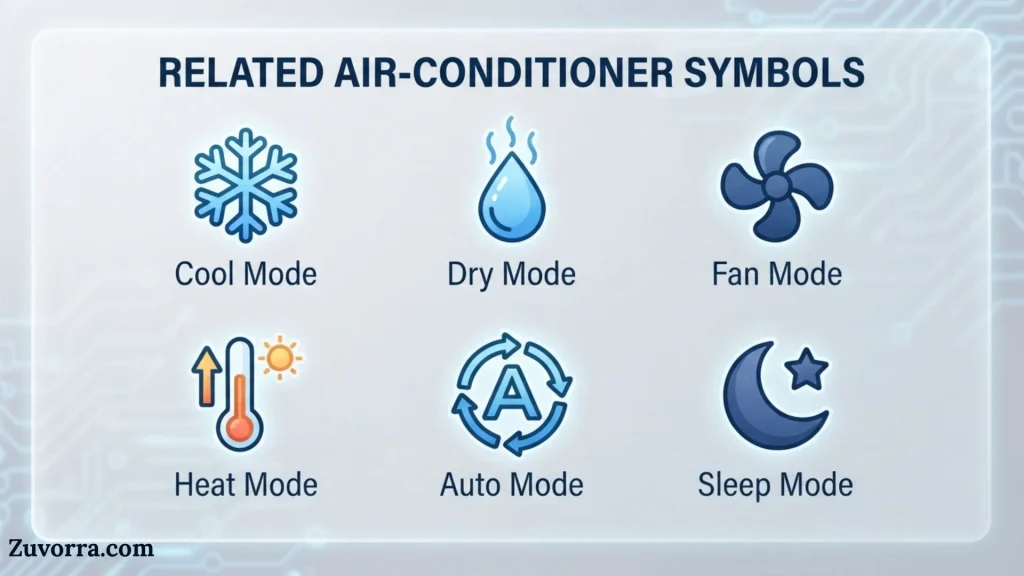
Related Air-Conditioner Symbols
Defrost Symbol
A defrost icon appears on some heat-pump controllers or indoor displays when the outdoor coil is clearing frost. It differs from the snowflake cooling icon because it relates to a heating-cycle maintenance process.
Filter Reminder
Some systems display a filter or grid icon when cleaning is due. This is a maintenance reminder, not an operating mode.
Auto-Clean or CL Display
“CL” may appear on the indoor unit during an automatic cleaning cycle. It should not automatically be treated as a fault code. Gree documentation explains that Auto Clean may cool and heat internal surfaces during the process.
Power-Limiting Icon
Some newer remotes include an icon for limiting maximum electrical power or system output. This differs from SE energy-saving mode and may offer several selectable capacity levels.
Light-Bulb Symbol
The bulb controls the indoor display light. It usually does not switch off the air conditioner or the remote’s LCD.
Frequently Asked Questions
What does the snowflake symbol mean on a Gree AC remote?
The snowflake activates Cool mode. In this setting, the compressor and indoor coil remove heat from room air and also remove some moisture. Choose a comfortable temperature and fan speed. If cooling feels weak, check the filter, doors, windows, airflow, outdoor conditions, and system capacity before lowering the setpoint further.
What does the water-drop symbol mean?
Water droplets represent Dry mode. The air conditioner runs gentle cooling cycles to condense moisture from humid indoor air. Use it when the room feels damp but does not need strong cooling. Dry mode may limit fan-speed adjustment and should not be confused with a water-leak warning.
What is the difference between Auto and Cool mode?
Cool mode actively works toward the temperature you select. Auto mode allows the air conditioner to make more decisions according to factory logic, indoor temperature, and model capabilities. Auto may choose heating or cooling on heat-pump systems, while some versions only automate fan speed or temperature regulation.
Why does my Gree AC fan keep running after I turn it off?
The X-Fan coil-drying function may be enabled. It keeps the indoor fan running briefly after Cool or Dry mode to remove moisture from the evaporator coil. Look for an X-Fan or small fan icon. The compressor should be off during this drying period.
How do I remove the lock symbol from a Gree remote?
On many models, press the temperature-up and temperature-down buttons simultaneously to toggle remote lockout. The padlock should disappear. Because button combinations vary, consult the remote’s manual if this does not work. Replace weak batteries as well, since an unstable display can make troubleshooting difficult.
What does I Feel mean on a Gree air conditioner?
I Feel tells the system to use the temperature sensor inside the remote. Place the remote near the occupied area, away from direct sunlight and heat sources, and within signal range of the indoor unit. This helps the system regulate comfort around your location rather than only near the wall-mounted unit.
What does SE mean on a Gree AC remote?
SE usually indicates Energy-Saving mode on a compatible Gree system. The unit automatically adjusts temperature and fan operation to reduce consumption in cooling mode. It is generally not an error when it appears after activating the energy-saving function. Verify its meaning in your model manual if it appears unexpectedly.
Why is the sun symbol showing when I want cold air?
The sun means Heat mode. Press the Mode button until the snowflake appears. If the remote changes but the unit still does not cool, wait for the normal compressor protection delay and confirm that the indoor unit received the signal.
What does 8°C or 46°F mean on the remote?
It means Freeze Guard or Vacation Heating is active. The system maintains a low minimum room temperature to help protect the property from freezing. It is not a normal comfort-heating setting. Disable the function before trying to select a typical room temperature.
Why does my Gree remote show an icon that does nothing?
Many Gree remotes are general-purpose designs used with several indoor-unit models. The remote may include a button or LCD symbol for hardware your unit does not have. Confirm the complete indoor-unit model number and consult its owner’s manual rather than relying only on the remote’s appearance.
Key Takeaways
- The snowflake means cooling, while the sun means heating.
- Water droplets activate humidity-reducing Dry mode.
- The fan symbol selects air circulation without active cooling or heating.
- Fan bars show airflow speed, not operating mode.
- Swing icons control vertical or horizontal louver movement.
- I Feel measures temperature near the remote.
- X-Fan dries the indoor coil after Cool or Dry operation.
- The padlock prevents accidental setting changes.
- Wi-Fi, Sleep, Turbo, Quiet, SE, and Freeze Guard are special functions.
- Not every symbol works on every Gree air conditioner.
- The model-specific manual is the best source for exact controls and button combinations.
Conclusion
Gree AC remote symbols make a complex climate-control system easier to operate once their visual language becomes familiar. The snowflake, sun, droplets, fan, moon, clock, padlock, swing indicators, and temperature icons each communicate a specific mode or status.
The most important step is to separate operating modes from optional features. Cool, Heat, Dry, Fan, and Auto determine how the system conditions the air. Turbo, Sleep, Quiet, I Feel, X-Fan, Wi-Fi, timers, and Freeze Guard modify how or when that operation occurs.
Because Gree uses several remote designs, always match the guide to the complete model number printed on the indoor unit. That small check prevents confusion when an icon, button, or hidden key combination differs from another Gree series.
References
- GREE Comfort, Vireo Gen3 Owner’s Manual, wireless remote-controller icon chart and operating instructions.
- GREE Comfort, Sapphire Owner’s Manual, remote buttons, mode descriptions, Sleep, I Feel, Turbo, Quiet, Wi-Fi, and temperature-display functions.
- GREE Comfort, What Does Dry Mode Do on Mini-Split Air Conditioners?, explanation of low-capacity cooling and humidity control.
- GREE Comfort, Unlocking the GREE AC Remote Control, Privacy Lock guidance.
- GREE Comfort, Homeowner FAQs, tree-icon and air-ion-function explanation.
- GREE Comfort, GREE+ Wi-Fi App guide, pairing and supported digital-control functions.

I’m Jasper Huxley, a British writer fascinated by the symbols that communicate ideas without words. I explore their meanings, origins, cultural connections, and everyday uses. From ancient markings to contemporary signs, I enjoy uncovering the stories behind visual language and presenting symbolism in a clear, engaging way for curious readers worldwide.
Books:
- The Hidden Language of Symbols
- Symbols, Signs and Their Meanings