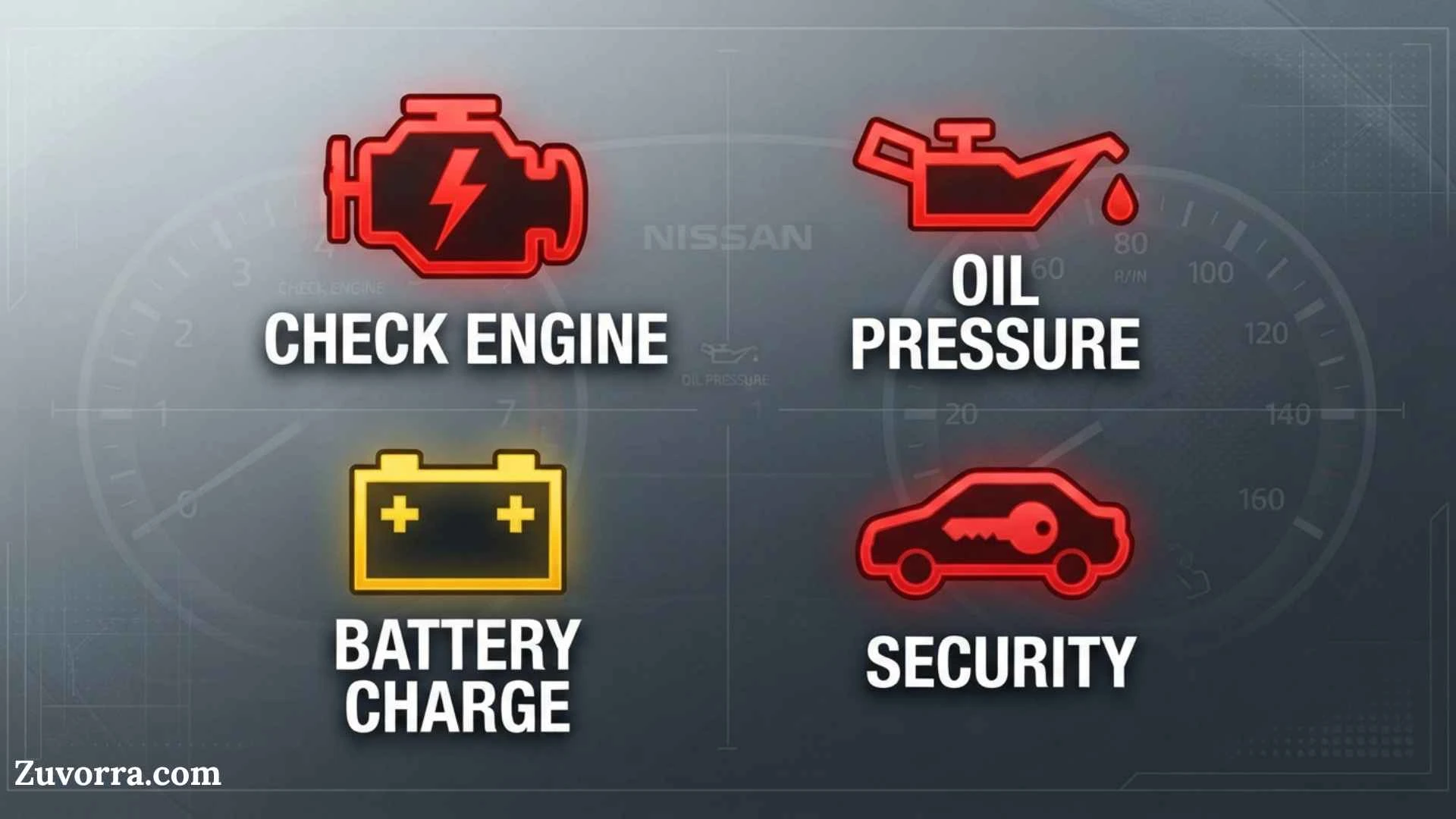
A Nissan dashboard symbol is your vehicle’s fastest way of telling you that a system is active, unavailable, or developing a problem. Some lights simply confirm that features such as high beams or cruise control are operating. Others warn about low oil pressure, brake trouble, overheating, tire pressure, or an engine fault.
This Nissan dashboard symbols and meanings PDF guide explains the most common warning lights, their urgency, and the safest action to take. Because symbols vary by model, year, trim, engine, and market, always confirm an unfamiliar icon in the official owner’s manual for your exact vehicle. Nissan provides downloadable manuals and guides through its owner resources.
Quick Meaning
Nissan dashboard symbols use colors and familiar icons to communicate vehicle status. Red usually requires immediate attention, yellow or amber signals a fault or caution, green and blue confirm active features, and white provides general information. Stop safely for oil-pressure, overheating, serious brake, or flashing engine warnings.
Nissan Dashboard Symbol Overview
| Dashboard symbol or message | Primary meaning | Typical color | Recommended response |
| Oil can | Low engine oil pressure | Red | Stop the engine safely |
| Thermometer over waves | Engine coolant temperature too high | Red | Pull over and let the engine cool |
| Battery | Charging-system malfunction | Red | Reduce electrical use and seek service |
| Circle with “!” or “BRAKE” | Parking brake applied or brake-system warning | Red | Check the parking brake and brake fluid |
| Engine outline | Engine or emissions-system fault | Amber | Arrange diagnosis; stop if flashing |
| ABS | Anti-lock braking system fault | Amber | Normal braking may remain, but ABS may not |
| Tire with “!” | Low tire pressure or TPMS fault | Amber | Check and adjust tire pressures |
| Seated person with circle | Airbag or pretensioner fault | Red/amber | Have the restraint system inspected |
| Steering wheel with “!” | Power-steering system fault | Red/amber | Steering may become heavier |
| Skidding car | Vehicle Dynamic Control operating or faulty | Amber | Slow down if flashing; inspect if steady |
| Fuel pump | Low fuel level | Amber | Refuel soon |
| Key symbol | Intelligent Key warning | Amber/green | Check key location or battery |
| Car between lane lines | Lane-departure or lane-assistance status | Green/amber | Follow the display message |
| Two vehicles or collision icon | Forward-collision system alert | Amber/red | Brake and increase following distance |
| Headlamp with straight beams | High beams active | Blue | Dim for approaching traffic |
| Headlamp with angled beams | Low beams or exterior lights active | Green | Informational |
| Cruise or speedometer icon | Cruise-control system active | Green/white | Informational |
| “EV,” battery, or plug icon | Electric-vehicle system status | Green/amber/red | Meaning depends on color and message |
What Do Nissan Dashboard Symbols Mean?
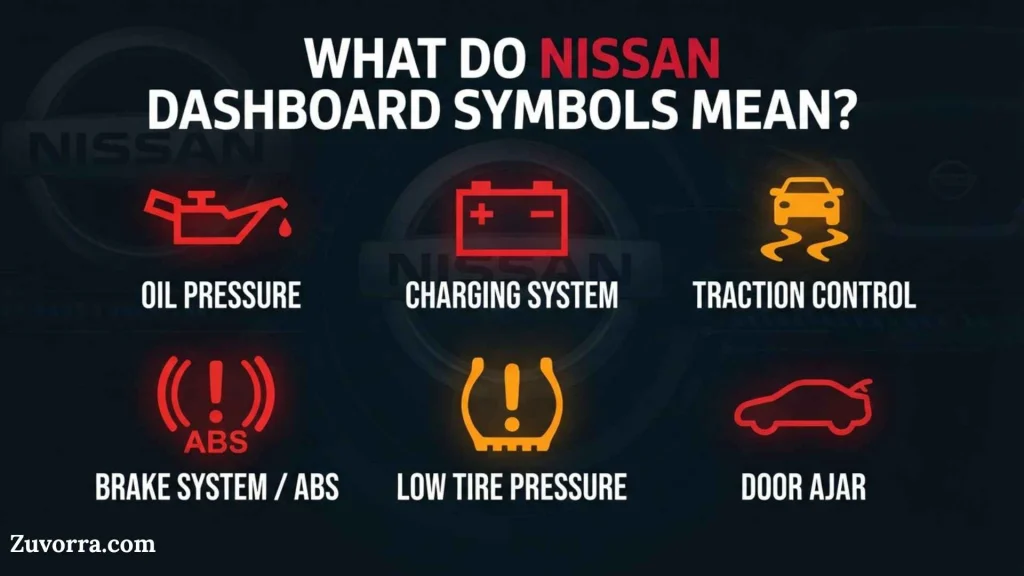
Nissan dashboard symbols represent one of three basic conditions: a warning, an operating status, or a driver reminder. The icon’s color, behavior, and accompanying message help determine its urgency.
A light that appears for a few seconds when you start the vehicle may be part of the normal self-check. If it stays on, flashes, changes color, or appears while driving, the vehicle may need attention.
Red warning lights
Red signals the highest priority. A red symbol may identify a safety risk, a condition that could damage the vehicle, or a basic requirement that has not been met.
Examples include:
- Low engine oil pressure
- Excessive coolant temperature
- Brake-system trouble
- Seat-belt reminders
- Open doors or liftgate
- Charging-system failure
- Some steering, airbag, hybrid, or electric-vehicle faults
A red symbol does not always mean the engine is failing. A red seat-belt icon, for example, is a reminder. However, you should never assume that an unfamiliar red warning is harmless.
Yellow or amber warning lights
Yellow and amber symbols usually indicate that a system requires inspection, has been switched off, or cannot operate under current conditions.
Common examples include:
- Check-engine light
- ABS warning
- Tire Pressure Monitoring System warning
- Vehicle Dynamic Control warning
- Automatic Emergency Braking unavailable
- Blind Spot Warning unavailable
- Low fuel
- Master warning triangle
The vehicle may continue to drive normally, but ignoring an amber warning can allow a minor issue to become more serious.
Green, blue, and white indicators
These colors normally report system status rather than a failure.
- Green: A feature is active, such as turn signals, exterior lights, cruise control, or brake hold.
- Blue: High-beam headlights are active.
- White: A feature is available, selected, or waiting to engage.
On Nissan vehicles with Automatic Brake Hold, for example, the indicator may change from white to green when the system is actively maintaining braking force.
Why Dashboard Warning Symbols Exist
Dashboard warning lights developed as vehicles gained more complex mechanical, electrical, emissions, and safety systems. Early automobiles relied mainly on gauges for speed, fuel, oil pressure, and coolant temperature. Drivers had to notice an abnormal needle position before damage occurred.
Modern vehicles use electronic control modules and sensors to monitor hundreds of operating conditions. The instrument cluster converts that information into recognizable icons, text messages, sounds, and color-coded alerts.
Symbols are more useful than text alone because they:
- Can be recognized quickly
- Occupy little dashboard space
- Work across language barriers
- Help drivers prioritize urgent problems
- Connect a warning to a specific system
- Remain visible in poor lighting
Nissan’s current instrument clusters may combine traditional symbols with a vehicle information display. The display can add details such as “Key System Error,” “Shipping Mode On,” “Tire Pressure Low,” or “Malfunction: See Owner’s Manual.”
Most Important Nissan Warning Lights Explained
Engine oil-pressure warning light
The oil-can symbol means the engine may not be receiving enough oil pressure. It does not simply mean that an oil change is due.
Low pressure can result from:
- Insufficient oil
- A major oil leak
- A failed oil pump
- A blocked oil passage
- Internal engine wear
- A faulty pressure sensor
Pull over safely, switch off the engine, and check the oil level after waiting several minutes. Do not continue driving merely because the oil level appears normal. The pressure problem may have another cause, and running the engine could cause severe damage.
Engine coolant-temperature warning
A red thermometer or high-temperature warning means the engine is overheating. Turn off the air conditioning, reduce the load, and move to a safe place.
Do not immediately open the radiator cap. Hot coolant can escape under pressure and cause burns. Allow the engine to cool and follow the procedure in your manual.
Overheating may be caused by low coolant, a leak, a failed cooling fan, a damaged belt, a thermostat problem, or a water-pump fault.
Brake-system warning light
The red brake light may appear because:
- The parking brake is applied
- Brake fluid is low
- A hydraulic braking fault exists
- An electronic parking-brake problem has occurred
- Another brake-related condition requires attention
First, confirm that the parking brake is fully released. If the light remains on, the brake pedal feels unusual, or braking performance changes, stop driving and arrange assistance.
Battery or charging-system warning
The battery-shaped icon means the charging system is not operating correctly. It usually does not mean that the battery alone is the problem.
Possible causes include:
- Alternator failure
- Loose or damaged drive belt
- Poor battery connection
- Wiring fault
- Charging-control problem
The vehicle may continue operating briefly on stored battery power. Switch off unnecessary electrical loads and reach a safe location before the battery becomes discharged.
Malfunction Indicator Light or check-engine light
The engine-shaped icon monitors the engine-control and emissions systems.
A steady light generally indicates a fault that should be diagnosed soon. Depending on the vehicle, a loose or missing fuel cap may also contribute to an emissions warning.
A flashing light is more urgent. It can indicate engine misfire severe enough to damage the catalytic converter. Reduce speed, avoid hard acceleration, and seek prompt service.
Nissan advises that a steadily illuminated malfunction indicator may allow limited driving, while a blinking light requires greater caution and faster attention. Exact instructions depend on the model.
ABS warning light
“ABS” means the anti-lock braking system has detected a malfunction. Conventional braking may still operate, but the system may not prevent wheel lock during hard braking or on slippery roads.
If both the ABS and red brake warning lights appear together, treat the situation as more serious and have the vehicle inspected promptly. Nissan notes that an illuminated ABS warning can mean the anti-lock function has been deactivated.
Tire Pressure Monitoring System warning
The horseshoe-shaped tire icon with an exclamation point means that one or more tires may be underinflated.
Check all tires when they are cold and inflate them to the pressure shown on the driver’s door-jamb label, not the maximum pressure printed on the tire sidewall.
If the light flashes for about a minute and then remains on, the TPMS itself may have a malfunction. Temperature changes, wheel replacement, sensor damage, or an incompatible spare tire can affect the system.
Airbag warning light
The seated-person-and-circle icon represents the Supplemental Restraint System. If it stays on, flashes, or fails to illuminate during startup, an airbag or seat-belt pretensioner may not function correctly in a crash.
The light does not prove that every airbag has failed. It means the restraint system needs professional diagnosis.
Power-steering warning
The steering-wheel symbol indicates an electric or hydraulic steering-assistance problem, depending on the model.
The vehicle may still steer mechanically, but the wheel can become much harder to turn, especially at low speed. Slow down, hold the wheel firmly, and move to a safe place.
Vehicle Dynamic Control and slip indicator
The skidding-car icon is associated with Nissan’s Vehicle Dynamic Control and traction-control functions.
- Flashing: The system is actively reducing wheelspin or helping stabilize the vehicle.
- Steady: The system may be switched off, unavailable, or malfunctioning.
If it flashes on snow, ice, gravel, or wet pavement, reduce speed and make smoother steering and accelerator inputs.
Driver-Assistance Symbols on Modern Nissan Vehicles
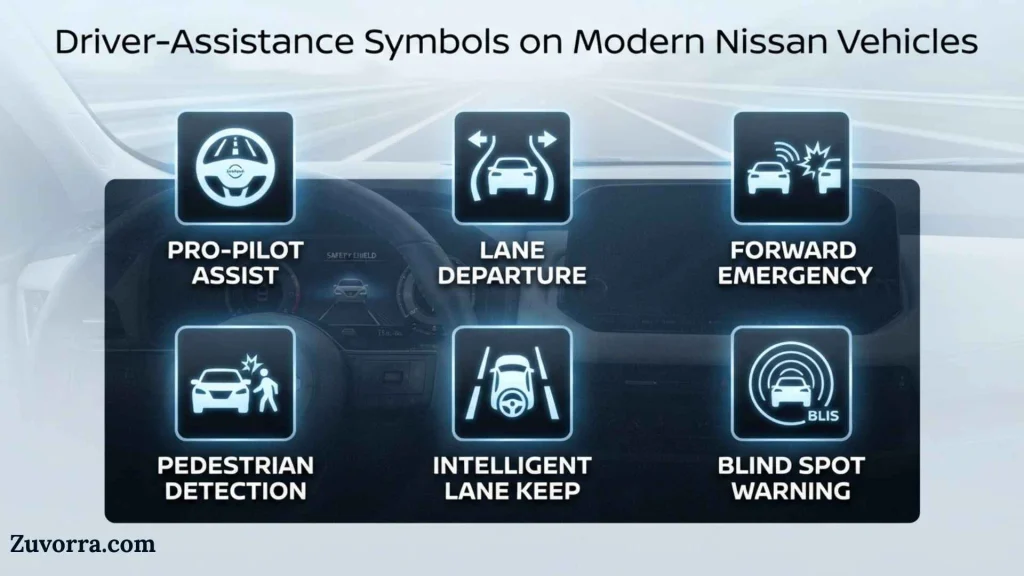
Newer Nissan models may include Safety Shield 360 features, ProPILOT Assist, radar-based collision warnings, camera-based lane systems, and parking aids. Their symbols may appear in green, white, yellow, or red depending on whether the system is available, active, blocked, or intervening.
Automatic Emergency Braking
The AEB symbol may show two vehicles, a collision star, or the words “AEB,” depending on the model.
An amber “OFF” or unavailable indication can mean:
- The system was disabled
- The front radar or camera is blocked
- Heavy rain, snow, fog, glare, or dirt is limiting detection
- The system has overheated
- A malfunction is present
A red collision warning means the vehicle has detected a possible frontal conflict. Brake immediately when conditions require it. Driver-assistance features support the driver; they do not replace attention or safe following distance.
Forward Collision Warning
Nissan’s Intelligent Forward Collision Warning can monitor relative speed and distance ahead. When it detects a developing hazard, it may flash a vehicle-ahead indicator and sound an alert.
Blind Spot Warning
A blind-spot indicator normally appears near a side mirror or within the instrument display. It illuminates when a vehicle is detected in an adjacent blind area and may flash with an audible warning if the turn signal is activated toward that lane.
Lane Departure Warning and Lane Intervention
Lane symbols usually show a vehicle between road markings.
- Green lines may mean lane detection is active.
- White lines may mean the feature is available.
- Yellow or flashing lines may warn that the vehicle is drifting.
- An amber warning may indicate blockage, deactivation, or malfunction.
Lane Departure Warning provides visual and audible alerts when the vehicle begins leaving its lane unintentionally. Some Nissan systems can also apply braking or steering assistance.
Nissan Intelligent Key Symbols
The Intelligent Key system may display a key icon, “No Key Detected,” “Key Battery Low,” or “Incorrect Key.”
Common causes include:
- The key is outside the cabin
- The key battery is weak
- Another electronic device is interfering
- The key is stored near metal objects
- The vehicle cannot recognize the programmed key
- The brake or clutch pedal is not pressed during startup
Try moving the key away from phones, chargers, laptops, or other keys. On many models, holding the Intelligent Key close to the start button allows the vehicle to recognize it when the key battery is weak. Follow the exact emergency-start procedure in your manual.
Electric and Hybrid Nissan Dashboard Symbols
Nissan LEAF, ARIYA, e-POWER, and hybrid-style systems use indicators not found on conventional gasoline models.
These may include:
- READY indicator
- Traction-battery charge gauge
- Plug-in or charging indicator
- EV system warning
- Power-limitation symbol
- Regenerative-braking display
- Turtle or reduced-power indicator
- Battery-temperature warning
- Electrical-shift-control warning
A green READY indicator generally means the vehicle can move, even if no engine sound is present. A power-limitation warning means acceleration or maximum speed may be reduced because of battery charge, temperature, or a system fault.
Electric-vehicle symbols vary significantly, so generic charts should never replace the model-specific manual. Nissan’s connected services may also show vehicle status, warning lights, remaining battery charge, and tire-pressure information where supported.
Where Nissan Dashboard Symbols Are Used
Dashboard symbols may appear in more places than the gauge cluster.
Instrument panel
This is the primary location for warning lamps, speed, fuel level, temperature, and driving-status information.
Vehicle information display
The central display between the gauges can explain an icon through text, animation, or suggested action.
Head-up display
Some Nissan models project speed, navigation, and driver-assistance information onto the windshield.
Infotainment screen
Camera warnings, parking alerts, system settings, and maintenance reminders may appear on the center screen.
MyNISSAN app and owner portal
Compatible connected vehicles can share selected maintenance or malfunction information through NissanConnect and the MyNISSAN platform.
Owner’s manual PDF
The official PDF includes model-specific icon names, startup checks, operational limits, warning messages, and recommended responses.
Common Variations Between Nissan Models
The same basic warning can look different across the Altima, Rogue, Sentra, Versa, Pathfinder, Frontier, Kicks, Murano, Armada, Titan, Z, LEAF, and ARIYA.
Differences may involve:
- Icon shape
- Warning color
- Text displayed beside the icon
- Whether the light flashes
- The sound accompanying the warning
- Availability of driver-assistance systems
- Gasoline, hybrid, or electric powertrain
- Digital versus analog instrument cluster
- Country-specific regulations
- Model year and trim level
For example, one Nissan may display a simple amber triangle, while another shows the triangle together with a detailed message. The triangle is a master warning, not a diagnosis by itself.
Common Misconceptions
“Every dashboard light means the car must stop”
Many lights are informational. Green turn-signal, cruise-control, and headlamp indicators confirm that features are working.
“A red battery symbol means I need a new battery”
It means the charging system is not maintaining electrical power. The battery, alternator, belt, wiring, or control system could be responsible.
“The oil light is an oil-change reminder”
The red oil-can symbol usually concerns oil pressure. Maintenance reminders use separate messages or service indicators.
“The ABS light means I have no brakes”
The standard brakes may remain functional, but the anti-lock feature may be unavailable. A simultaneous red brake warning requires greater caution.
“The check-engine light always means a major engine failure”
A steady light can result from many engine or emissions faults. A flashing light is generally more urgent because it may indicate damaging misfire.
“Driver-assistance lights prove the system will prevent a crash”
Cameras and radar have limits. Weather, road markings, dirt, glare, vehicle speed, and object type can affect detection. The driver remains responsible for braking, steering, and observing traffic.
What Should You Do When a Warning Light Appears?
Use this quick decision guide:
Is the light red?
↓
Move to a safe location and identify the symbol. Stop the engine for oil-pressure or overheating warnings.
Is the check-engine light flashing?
↓
Reduce speed and engine load. Arrange immediate diagnosis.
Is the light amber and steady?
↓
Check the displayed message and owner’s manual. Schedule service when required.
Is the symbol green, blue, or white?
↓
It is usually a status indicator. Confirm which feature is active.
Did the light appear after snow, rain, washing, or road dirt?
↓
Safely clean relevant cameras, radar areas, and sensors if your manual permits. A blocked driver-assistance sensor can trigger an unavailable warning.
Does the vehicle feel, sound, smell, steer, or brake differently?
↓
Treat the condition as urgent regardless of the icon’s color.
How to Find the Correct Nissan Dashboard Symbols PDF
The most reliable PDF is the owner’s manual for your exact model and year.
- Open Nissan’s official Manuals and Guides page.
- Choose the vehicle model.
- Select the correct model year.
- Download the owner’s manual PDF.
- Search within the PDF for “warning lights,” “indicator lights,” “vehicle information display,” or the exact warning message.
- Review both the icon explanation and the recommended action.
Nissan maintains an official manual library covering many current and previous vehicles.
Do not rely on a generic downloadable chart alone. A chart can help identify an icon, but only the correct manual explains model-specific systems and limitations.
Interesting Facts About Nissan Dashboard Symbols
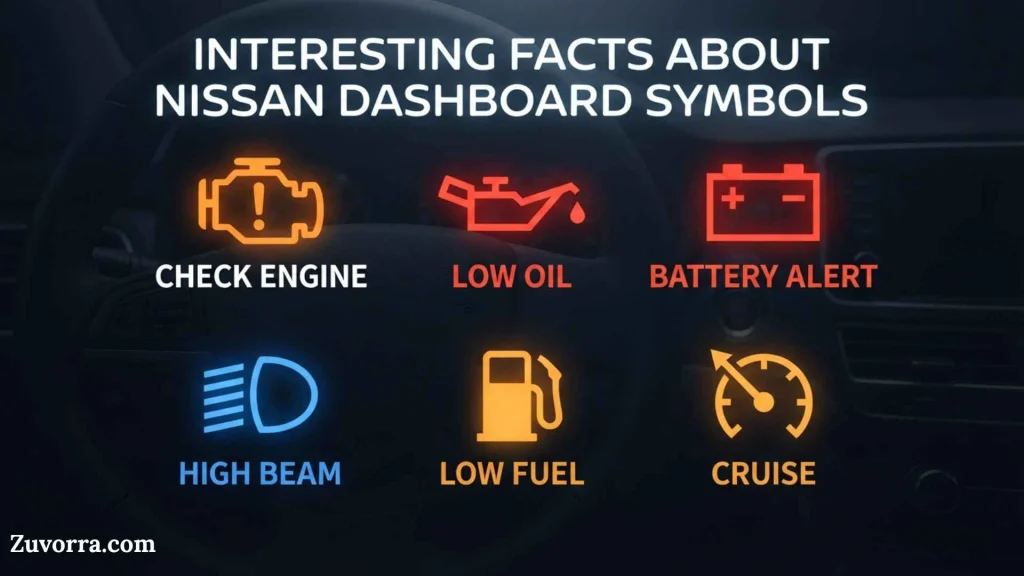
- Many lights appear during startup on purpose. The vehicle briefly checks warning-lamp circuits when the ignition is switched on.
- A symbol’s behavior matters as much as its color. A flashing check-engine or tire-pressure light can communicate something different from a steady light.
- The same icon can have multiple causes. The red brake light may indicate an applied parking brake, low fluid, or a system fault.
- Modern warning systems use sensor fusion. Lane and collision features may depend on cameras, radar, wheel-speed sensors, steering input, and control modules.
- Bad weather can disable assistance without damaging it. Snow, fog, heavy rain, sunlight, or road spray can temporarily limit cameras and radar.
- Some Nissan displays change color as a feature engages. Automatic Brake Hold can move from a standby indication to an active green state.
- Electric models may be ready without making engine noise. The READY indicator is therefore a crucial confirmation that the vehicle can move.
- Low tire pressure often appears during cold weather. Tire pressure falls as air temperature drops, but drivers should still inspect for punctures rather than assuming temperature is the only cause.
- A warning may remain stored after the light turns off. Diagnostic trouble codes can help technicians identify intermittent faults.
- The master warning triangle is not a complete diagnosis. Drivers must read the accompanying message to learn what triggered it.
- Similar symbols are used internationally. Standardized shapes help drivers recognize basic functions across different makes and markets.
- A disconnected battery can trigger temporary warnings. Steering-angle, window, idle, or driver-assistance systems may need recalibration, though persistent warnings require diagnosis.
Related Dashboard Symbols
Maintenance reminder
This message tracks a service interval or owner-configured reminder. It does not necessarily indicate a mechanical failure.
Master warning triangle
The triangle directs attention to another message, such as low fuel, an open door, a key warning, or a system fault.
Security indicator
A car-and-key or security icon can flash when the immobilizer system is armed. Unusual behavior may indicate key-recognition trouble.
Electronic parking-brake indicator
A “P” inside a circle normally shows parking-brake status. A separate warning or flashing symbol may identify a malfunction.
Brake Hold indicator
This shows whether the automatic brake-hold function is available or actively holding the vehicle.
Start/stop indicator
On equipped vehicles, this symbol reports the status of the automatic engine stop/start system.
Fog-light indicator
A lamp with angled beams and a wavy line identifies front or rear fog lights, depending on direction and color.
Frequently Asked Questions
What is the most serious Nissan dashboard warning light?
Low oil pressure, excessive coolant temperature, serious brake-system trouble, and certain red electric-vehicle warnings are among the most urgent. A flashing check-engine light also needs immediate attention. The safest response depends on the symbol, accompanying message, vehicle behavior, and instructions in the exact owner’s manual.
Can I drive my Nissan with an amber warning light?
Sometimes, but not automatically. An amber light usually means caution, a disabled function, or a fault requiring inspection. Check the vehicle information display and manual. Stop driving if the car loses power, overheats, brakes poorly, steers abnormally, produces smoke, or makes unusual noises.
Why are several Nissan warning lights on at once?
Several lights can appear because related systems share sensors, voltage, or communication networks. A weak battery, alternator fault, damaged wheel-speed sensor, or network problem may disable multiple systems. Do not replace parts based only on the lights. A diagnostic scan and physical inspection are often needed.
Why did my Nissan warning light disappear after restarting?
Restarting can clear a temporary condition, but it does not prove that the problem is fixed. Intermittent sensor, voltage, temperature, or communication faults may return. Check the manual and arrange diagnosis if the warning was safety-related, affected performance, or appears again.
What does the yellow triangle mean on a Nissan?
The yellow triangle is generally a master warning indicator. It tells you that the vehicle information display contains a more specific message. Causes range from low fuel and an open door to key-system or driver-assistance warnings. Read the message rather than treating the triangle as a single fault.
Why is my Nissan collision-warning light on?
The system may be switched off, blocked, temporarily unavailable, or malfunctioning. Check for dirt, snow, ice, heavy rain, fog, or damage around the windshield camera and front radar area. Clean only as directed by the manual. Seek service if the warning remains after conditions improve.
Does a Nissan tire-pressure light reset automatically?
It often turns off after all tires are adjusted to the specified cold pressure and the vehicle is driven, but reset behavior varies. If the light flashes before staying on, the TPMS may have a system fault. Inspect the tires and follow the model-specific relearning or reset instructions.
Where can I download an official Nissan dashboard symbols PDF?
Use Nissan’s official Manuals and Guides page and select the exact vehicle and model year. The downloadable owner’s manual provides the most accurate symbol descriptions. It is safer than relying on an unofficial universal chart because warning lights and display messages differ across Nissan vehicles.
What does a flashing red car-and-key symbol mean?
When the vehicle is parked and switched off, a flashing security indicator can be normal because the immobilizer is armed. If the engine will not start or the symbol behaves differently than described in the manual, check the Intelligent Key battery and try the emergency recognition procedure.
Can a weak battery cause dashboard warning lights?
Yes. Low voltage can disrupt sensors and electronic control modules, causing multiple lights or error messages. However, a weak battery is not the only possible cause. Test the battery and charging system instead of assuming that replacing the battery will resolve every warning.
Key Takeaways
- Red warnings require immediate attention or prompt investigation.
- Amber lights indicate caution, a fault, or an unavailable system.
- Green, blue, and white lights normally show feature status.
- A flashing check-engine light is more urgent than a steady one.
- The oil-can warning concerns oil pressure, not just oil-change timing.
- Read the message accompanying a master warning triangle.
- Driver-assistance sensors can become temporarily blocked by weather or dirt.
- Never ignore changes in braking, steering, temperature, power, smell, or sound.
- Use the owner’s manual for the exact Nissan model and year.
- Download the official manual rather than relying only on a generic symbol chart.
Conclusion
Understanding Nissan dashboard lights can help you respond before a small fault becomes a breakdown or safety risk. Start with the symbol’s color, note whether it flashes or stays on, read any accompanying message, and pay attention to how the vehicle behaves.
A general Nissan dashboard symbols and meanings PDF is useful for quick identification, but the official owner’s manual remains the final authority. Nissan models use different engines, safety technologies, electric systems, and display layouts, so always verify the warning against the manual for your exact vehicle and model year.
References
- Nissan USA, “Understand Your Nissan’s Dashboard Indicator Lights.”
- Nissan USA, “All Nissan Owners Vehicle Manuals & Guides.”
- Nissan USA Parts, “Get to Know Your Nissan Dashboard Warning Lights.”
- Nissan USA Parts, “Your Quick Guide to the Nissan ABS Dashboard Light.”
- Nissan USA Parts, “Your Guide to the Nissan Check Engine Light.”
- Nissan Global, Blind Spot Warning technology information.
- Nissan Global, Lane Departure Warning and Intelligent Lane Intervention information.
- Nissan Global, Intelligent Forward Collision Warning information.
- Nissan Global, Automatic Brake Hold information.

I’m Jasper Huxley, a British writer fascinated by the symbols that communicate ideas without words. I explore their meanings, origins, cultural connections, and everyday uses. From ancient markings to contemporary signs, I enjoy uncovering the stories behind visual language and presenting symbolism in a clear, engaging way for curious readers worldwide.
Books:
- The Hidden Language of Symbols
- Symbols, Signs and Their Meanings