Snapchat story symbols are visual shortcuts that explain who can see a Story, how viewers interacted with it, and which actions you can take. A padlock usually marks a Private Story, the eyes emoji can show rewatches for Snapchat+ subscribers, and screenshot information reveals whether someone captured a Story.
You may encounter these symbols beside a friend’s Story, below your own Story, inside the viewer list, or on the Story management screen. Some icons describe privacy, while others represent views, replies, screenshots, sharing, saving, or deletion. Because Snapchat regularly changes its interface, understanding the function behind each icon is more useful than memorizing its exact color or position.
Quick Meaning
Snapchat story symbols show a Story’s privacy level, viewing status, engagement, and available controls. The padlock identifies a Private Story, the eyes emoji is a Snapchat+ Rewatch Indicator, viewer information shows who watched, and screenshot data indicates that someone captured the Story. Other icons let users reply, share, save, report, or delete content.
Snapchat Story Symbols Overview Table
| Symbol or Indicator | Primary Meaning | Where It Appears | Who Can See It |
| Padlock | Private Story | Beside a Private Story name | Creator and selected viewers |
| Eyes emoji 👀 | Story Rewatch Indicator | Under eligible Stories | Snapchat+ Story creator |
| Viewer count | Number of Story viewers | Story insights or viewer screen | Story creator |
| Screenshot indicator | Someone captured the Story | Viewer or insights screen | Story creator |
| Story ring | New or available Story content | Around a profile or Bitmoji | Viewers |
| Reply field or arrow | Send a response to a Story | While watching a Story | Eligible viewers |
| Share or send arrow | Send Story content to someone | Story action menu | Eligible users |
| Three-dot menu | More Story actions | Story screen | Viewer or creator |
| Trash can | Delete a Snap from a Story | Story management screen | Story creator |
| Download or save icon | Save eligible content | Story or Memories controls | Creator or permitted user |
| Public Story label | Story posted to a public audience | Profile and Stories interface | Friends, followers, or wider audience |
| Friends Story label | Story shared with friends | “Send To” and Profile screens | Friends allowed by privacy settings |
| Shared Story label | Selected members can view and contribute | Story list and profile | Invited participants |
| Plus symbol | Add or create a Story | Profile or Story controls | Account owner |
| Gear ⚙️ | Story and account settings | Profile | Account owner |
Snapchat may redesign, relocate, or recolor interface elements. The wording displayed beside an icon often provides the most reliable explanation of its current purpose.
What Do Snapchat Story Symbols Mean?
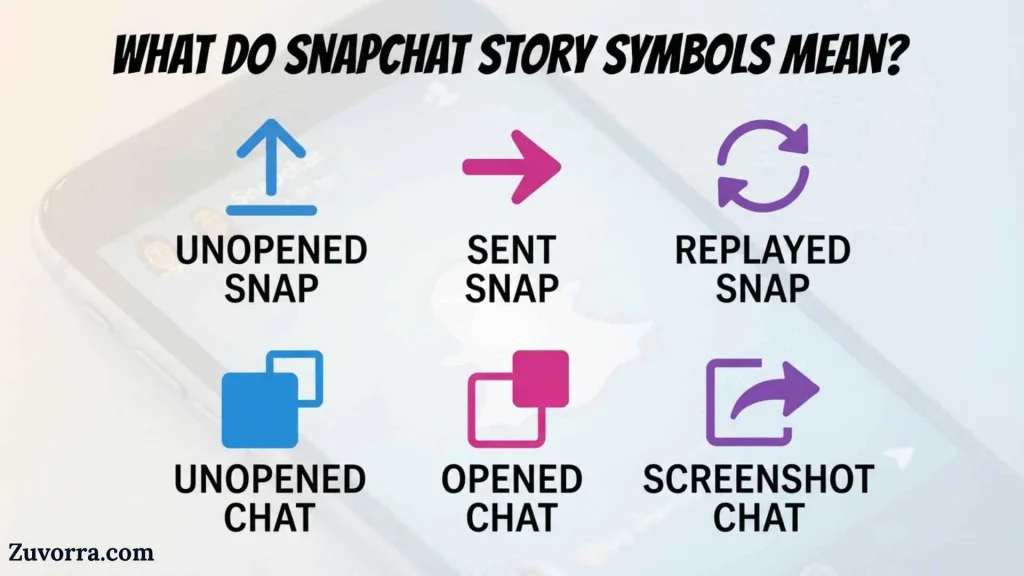
Snapchat Story symbols communicate information without filling the screen with written instructions. They answer four practical questions:
- Who is allowed to view this Story?
- Has the Story been watched or rewatched?
- Did anyone reply to or capture it?
- What can the creator or viewer do next?
Unlike traditional cultural symbols, these icons do not carry ancient, religious, or mythological meanings. They belong to a digital interface system. Their purpose is functional: helping people understand privacy, activity, and controls quickly.
The same symbol can also depend on context. An eye-related indicator may represent views in one area and rewatches in another. A lock beside a Story refers to restricted visibility, while a lock elsewhere on a phone may have a broader security meaning. Always consider where the icon appears and whether text, a number, or a label accompanies it.
The Most Important Snapchat Story Symbols
Padlock: Private Story
A padlock beside a Story means it is a Private Story. Only the creator can add Snaps to that Story, and the creator chooses which friends may view it. People excluded from the Story are not notified that it exists.
The lock does not mean the Story is encrypted exclusively for one person. It means the Story has a limited viewer list selected by its creator. More than one friend may have access.
A Private Story may appear mixed with the creator’s regular My Story content. On some Android interfaces, Private Stories and My Stories may appear separately.
Eyes Emoji: Rewatch Indicator
The eyes emoji, 👀, can appear beneath Stories posted by a Snapchat+ subscriber. It is called the Rewatch Indicator and shows how many friends rewatched an eligible Story.
It may work with My Story, Private Stories, and Shared Stories. However, the number does not identify exactly which friend replayed the Story or how many total repeat plays occurred. It shows how many friends rewatched it.
For example, if the eyes indicator shows “3,” three friends rewatched the Story. One of those friends might have watched it several times, but the indicator is not designed as a complete replay counter.
Viewer Count and Viewer List
A view count tells the creator how many accounts watched a Story. To see viewers for My Story, the creator can open the Story and swipe upward.
Snapchat displays the names of up to 200 viewers. After the Story passes 200 views, the creator may see a total number without additional viewer names.
For a public Story, the insights area may include friends, followers, and other Snapchatters who viewed the content. Public Story creators can open a Snap and swipe up to see viewers, replies, and related information.
Screenshot Indicator
The screenshot indicator means someone captured an image of the Story on their device. Snapchat allows Story creators to check whether a screenshot was taken by opening the Story and swiping up.
This indicator should be treated as a privacy warning, not a guarantee of complete detection. Once content is visible on another person’s screen, that person may preserve it in ways outside the app’s normal screenshot process, such as photographing the screen with another device.
The safest rule is simple: do not post anything to a Story that would cause serious harm if it were saved or shared.
Story Ring Around a Profile
A colored ring around a profile image or Bitmoji generally signals that Story content is available to watch. After content has been viewed, the ring may change, fade, or disappear depending on the app version and screen.
Users often assign fixed meanings to every ring color, but Snapchat’s interface can change across platforms, accounts, subscriptions, and software updates. A ring should mainly be read as a viewing-status cue rather than a permanent symbolic code.
Reply Symbol or Response Field
The reply control lets a viewer respond directly to a Story. Depending on the Story type and the creator’s settings, a person may see a text field, camera option, arrow, or another response control.
Replies to public Stories are managed differently from ordinary friend conversations. Public Story creators can access replies through the Story’s insights and replies screen.
A missing reply option does not necessarily mean the user has been blocked. The creator’s privacy settings, account type, age protections, public-profile settings, or Snapchat’s current design may limit responses.
Share or Send Arrow
The share or send arrow allows eligible content to be sent to another person or destination inside Snapchat. Its exact behavior depends on the Story, the creator’s permissions, and whether the content is public or restricted.
Sharing a Story through Snapchat does not automatically make it public. A Private Story remains controlled by its selected audience, while public content may be discoverable by a broader group.
Users should also distinguish between sharing a Story link, forwarding content within the app, and taking a screenshot. These actions may produce different notifications or records.
Three-Dot Menu
Three dots usually open a menu of additional actions. Depending on whether you own the Story or are viewing someone else’s, the menu may include options such as:
- Share
- Report
- Manage
- Edit
- Save
- Delete
- Adjust Story settings
- View a profile
- Mute Story content
The menu is contextual. This means the same three-dot symbol can display different commands on different screens.
Trash Can: Delete a Story Snap
The trash can deletes a Snap from a Story. The creator can open the relevant Story, move to the Snap, swipe up, tap the trash icon, and confirm deletion.
Deleting one Snap does not always delete an entire multi-Snap Story. Creators should make sure they are viewing the correct segment before tapping the icon.
In a Shared Story, the Story creator’s actions may affect all participating members. If the creator deletes the Shared Story, its Snaps are removed, although participants may already have saved their own content or captured other Snaps.
Gear Icon: Story Privacy Settings
The gear icon opens settings. Story privacy controls allow users to choose who can view their friend-based Story.
Snapchat’s current help guidance lists options such as “My Friends” and “Custom.” Some users may still see an older “Everyone” option, while public sharing is now commonly handled through My Story · Public. Privacy settings applied when a Snap is posted remain attached to that Snap even if settings change later.
History and Origin of Snapchat Story Symbols
Snapchat Story symbols developed from the visual language of smartphones and social media rather than from a single historical alphabet. Most of them adapt familiar interface metaphors.
The padlock was already widely understood as a sign of privacy and restricted access. The eye represented looking or viewing. A trash can represented disposal. A gear suggested mechanical adjustment and became a common symbol for digital settings. Arrows represented direction, sending, forwarding, or navigation.
Snapchat combined these familiar forms with its temporary Story format. The symbols allowed people to manage fast-moving content without reading long instructions.
As Snapchat introduced Private Stories, Shared Stories, Public Profiles, creator analytics, and Snapchat+ features, the icon system expanded. The symbols now describe not only basic actions but also audience categories and engagement information.
The system continues to evolve. Public Stories, for example, now exist separately from friend-only Stories for eligible users. Snapchat explains that public My Story content appears as a separate posting choice from My Story · Friends.
Digital Symbolism and Interpretation
Privacy and Control
Locks, restricted labels, and audience selectors represent control over visibility. They remind users that not every Story reaches the same audience.
However, digital privacy is not absolute. A restricted audience reduces access but cannot prevent every form of copying, screen recording, photography, or later sharing.
Attention and Observation
Eyes, view counts, and viewer lists symbolize attention. They turn an invisible action, watching, into visible data.
This can help creators understand engagement, but it can also encourage users to place too much emotional importance on who watched first, who rewatched, or who did not appear in the list. Viewer information describes app activity, not a person’s feelings or intentions.
Temporariness
Story rings and progress indicators communicate that content is current and limited in duration. Their design encourages quick viewing and a sense of immediacy.
Temporary visibility should not be confused with permanent erasure. A Story may disappear from ordinary viewing while screenshots, saved copies, moderation records, or reposted versions continue to exist.
Positive Meanings
In normal use, Story symbols support:
- Easier navigation
- Audience awareness
- Privacy choices
- Creative sharing
- Direct interaction
- Engagement tracking
- Content management
Negative Interpretations
Symbols can cause anxiety when users read too much into them. A person might assume that a rewatch means romantic interest or that a missing view means deliberate avoidance. Neither conclusion follows from the symbol alone.
Technical behavior, connectivity, muted Stories, account changes, viewing habits, and interface updates can all affect what appears.
Types of Snapchat Stories and Their Symbols
My Story · Friends
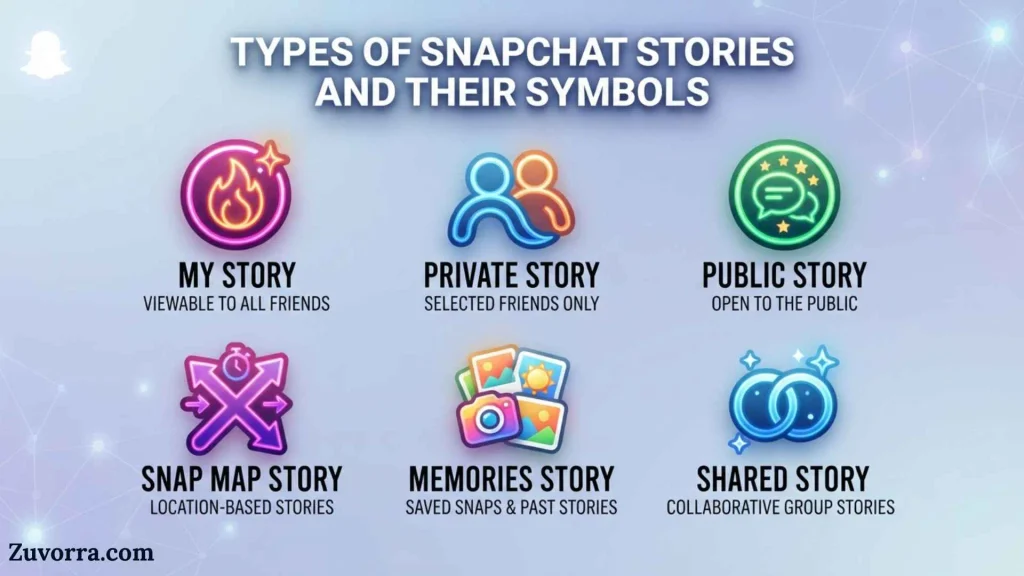
My Story · Friends is intended for friends allowed by the user’s privacy settings. It is different from a public Story and may be controlled through options such as My Friends or Custom.
My Story · Public
My Story · Public is designed for public-facing content. Followers can see public Stories in the Following area, and eligible users may gain followers through Spotlight, Discover, or a Public Profile.
Public content can reach people beyond the creator’s friend list. A person who has been blocked may still be able to see content that the creator posts publicly, depending on how it is accessed.
Private Story
A Private Story displays a padlock and is visible only to friends selected by the creator. Only the creator adds Snaps.
Shared Story
A Shared Story allows selected participants to view and contribute. Snapchat states that only the creator and chosen friends can view and add Snaps. Members can inspect the Story profile to understand who else has access.
Public Profile Story
A Story can also be added to a Public Profile with a title and cover. This creates a more organized, lasting presentation than an ordinary temporary post and may be used by creators, businesses, artists, and public figures.
Spotlight
Spotlight is not the same as a standard Story. It is Snapchat’s public short-video discovery area. Users submit eligible video Snaps to Spotlight through the Send To screen or other supported posting routes.
Scientific or Technical Meaning
Snapchat icons are examples of graphical user interface symbols, often called icons or pictograms. In interface design, an icon represents an object, action, state, or relationship through a small visual form.
The symbols work through three basic design principles:
Recognition
A familiar object helps users recognize an action. A trash can is easier to identify quickly than a written sentence explaining deletion.
Context
The screen changes the meaning. An arrow beside a Story may send or share it, while an arrow in another area may move to the next screen.
Feedback
Symbols and numbers confirm that an action occurred. A viewer count reports engagement. A screenshot marker reports capture activity. A changed ring can indicate that a Story has already been opened.
Snapchat also uses account-level data to provide public Story analytics. Public Profile insights can include views, viewers, screenshots, swipe-ups, and interactions for individual Snaps.
Where Snapchat Story Symbols Are Used
You may encounter Story-related icons in several parts of the app:
Profile Screen
The Profile area contains My Stories, public content, Private Stories, Shared Stories, creation controls, settings, and management options.
Stories Page
The Stories page displays content from friends, followed accounts, creators, publishers, and public profiles. Rings and thumbnails help distinguish available content.
Story Viewer
While watching a Story, viewers may see controls for replying, sharing, pausing, moving forward, returning, opening a profile, or reporting content.
Viewer and Insights Screen
Creators can swipe upward on their Story to see viewer information, screenshots, replies, and other available engagement data.
Send To Screen
The Send To screen allows creators to choose among destinations such as My Story · Friends, My Story · Public, Private Stories, Shared Stories, individual contacts, or Spotlight when available.
Memories
Stories and Snaps may be saved to Memories. Snapchat also offers My Eyes Only for content moved into a passcode-protected section of Memories, although My Eyes Only is not itself a Story privacy symbol.
Common Variations and Similar Symbols
Lock Versus My Eyes Only
A Story padlock identifies a Private Story audience. My Eyes Only protects saved content inside Memories with a passcode. These features serve different purposes.
Eye Icon Versus Eyes Emoji
A basic eye concept may relate to viewing, but the paired eyes emoji under a Story has a specific Snapchat+ meaning: friends rewatched the Story.
View Count Versus Rewatch Count
The view count shows how many accounts viewed content. The Rewatch Indicator shows how many friends watched it again. It does not provide a full total of every replay.
Friends Story Versus Private Story
A friends-only Story may be visible to the user’s allowed friends. A Private Story is limited to a specially selected list and carries a padlock.
Private Story Versus Shared Story
Only the creator posts to a Private Story. Selected participants may contribute to a Shared Story.
Public Story Versus Spotlight
A public Story appears through the creator’s Story and profile presence. Spotlight is a broader discovery feed built around short video submissions.
Common Misconceptions
“The eyes emoji tells me exactly who replayed my Story.”
It does not. The Snapchat+ Rewatch Indicator reports how many friends rewatched the Story, not their identities.
“A Private Story is visible to only one person.”
Not necessarily. The creator may select one friend or many friends.
“People know when I exclude them from a Private Story.”
Snapchat does not notify friends who are not included.
“Changing privacy settings updates every Story already posted.”
Snapchat says the privacy settings used when a Snap was sent to a Story remain attached to that Snap. A later setting change may not alter its audience.
“Every colored ring has one permanent meaning.”
Colors and placements can change with app versions, operating systems, subscriptions, experiments, and accessibility settings. Read the nearby label and screen context.
“A screenshot indicator guarantees nobody copied the Story secretly.”
It only reports capture activity that Snapchat detects and displays. Another person could use a second device or an unsupported recording method.
“Blocking someone hides all public content from them.”
Snapchat warns that blocked users may still be able to view material posted publicly, including Public Stories and Spotlight content.
Practical Decision Guide
Do you see a padlock?
↓
The post is part of a Private Story.
Do you see 👀 beneath your own Story?
↓
You likely have Snapchat+, and the number shows how many friends rewatched it.
Do you see viewer names or a number after swiping up?
↓
That information shows who viewed the Story or how many views it received.
Do you see screenshot information?
↓
At least one viewer captured the Story through a method Snapchat recorded.
Do you see “Public”?
↓
The Story may be visible beyond the creator’s accepted friends.
Do you see “Shared Story”?
↓
Selected members may be able to both view and contribute.
Do you see three dots?
↓
Tap them to open context-specific actions, such as sharing, reporting, managing, or deleting.
Interesting Facts About Snapchat Story Symbols
- The lock describes the audience, not the number of viewers. A Private Story can include several selected friends.
- The rewatch symbol counts friends rather than total repeat plays. This prevents the eyes number from functioning as a complete replay total.
- Only Snapchat+ subscribers receive the Rewatch Indicator feature. Ordinary view information remains separate.
- Viewer names have a display limit. Snapchat shows names for up to 200 My Story viewers before switching to a numerical total.
- Public and friend Stories are separate posting choices. This reduces confusion between personal sharing and creator-style public content.
- A Private Story and a Shared Story use different contribution rules. Private Story content comes from its creator, while Shared Story members may contribute.
- The Story privacy setting is tied to the Snap at posting time. Changing the setting later may not change the audience of content already posted.
- Public Profile Stories can have titles and covers. This makes them more like organized profile collections than ordinary temporary posts.
- Public Story insights go beyond basic views. Eligible analytics may include screenshots, swipe-ups, and interactions.
- Interface symbols are intentionally reusable. The three-dot menu does not represent one action; it opens actions appropriate to the current screen.
- Story symbols communicate risk as well as activity. Locks describe restricted access, while screenshot indicators remind creators that temporary content can be preserved.
- Words are often more reliable than colors. When Snapchat redesigns its interface, labels such as Private, Shared, Friends, and Public usually explain the audience more clearly than ring colors.
Related Snapchat Symbols
Chat Status Icons
Snapchat’s red, purple, blue, and gray Chat screen icons describe sent, opened, received, viewed, or pending Snaps and Chats. These belong to direct messaging rather than Stories. A gray pending symbol can appear when a friend request has not been accepted or privacy settings prevent delivery.
Ghost Logo
The Snapchat ghost is the platform’s brand mark. It represents Snapchat as a service rather than a Story’s privacy or engagement status.
Bitmoji
A Bitmoji represents a user’s personalized avatar. A ring around it may indicate Story availability, but the Bitmoji itself does not define the Story type.
Spotlight Symbol
The Spotlight destination identifies content intended for Snapchat’s discovery feed. It differs from a friend, Private, Shared, or public Profile Story.
Memories Symbol
Memories stores saved Snaps and Stories. Saving something to Memories is different from publishing it to a Story.
My Eyes Only Lock
This passcode-protected Memories area should not be confused with the padlock used for a Private Story.
Frequently Asked Questions
What does the lock mean on a Snapchat Story?
The lock means the Story is private and visible only to friends chosen by its creator. It does not mean that only one person can see it. The creator may select multiple viewers, but people who were not selected are not notified that the Private Story exists.
What does 👀 mean on my Snapchat Story?
The eyes emoji is the Snapchat+ Rewatch Indicator. The accompanying number shows how many friends rewatched your Story. It does not reveal their names and does not count every individual replay. It may appear under My Story, Private Stories, and Shared Stories posted by an eligible subscriber.
Can I see who rewatched my Snapchat Story?
Snapchat’s Rewatch Indicator does not identify individual rewatchers. It only reports how many friends watched the Story again. You can still open your Story and swipe upward to see the regular viewer list, but that list does not label each person who replayed it.
How can I tell if someone screenshotted my Story?
Open your Story, move to the relevant Snap, and swipe upward. Snapchat’s viewer information can show whether a screenshot was taken. Remember that the indicator covers screenshot activity detected by Snapchat and cannot prevent someone from preserving content with another device.
What does a ring around someone’s Bitmoji mean?
A ring generally means that the person has Story content available to watch. Its appearance may change after you view the Story. Ring colors and styles can vary by app version, account features, and interface updates, so avoid relying on color alone to determine privacy or relationship status.
What is the difference between a Private Story and a Shared Story?
A Private Story has a creator-selected audience, and only the creator adds Snaps. A Shared Story also has a selected audience, but invited participants may add content. Shared Story members can check the Story profile to learn who else has access.
What does “My Story · Public” mean?
My Story · Public means the content is being posted for a public-facing audience rather than only accepted friends. Depending on the creator’s age, account eligibility, followers, and Snapchat’s distribution rules, it may be visible through Following, a Public Profile, or other public areas.
Why can’t I see someone’s Private Story anymore?
The creator may have removed you from the viewer list, deleted the Story, allowed it to expire, changed the Story’s audience, or stopped posting to it. The missing Story alone does not prove that you were blocked or unfriended, and Snapchat does not notify excluded users.
Can someone save my Snapchat Story without me knowing?
It is possible. Snapchat may report ordinary screenshots, but someone could photograph the screen with another device or use a method the app does not detect. Treat every Story as potentially saveable and avoid sharing private information, identification documents, passwords, financial details, or intimate material.
Why do Snapchat Story icons look different on another phone?
Snapchat can display different layouts across iOS, Android, account types, regions, subscriptions, accessibility settings, and software versions. The company also updates features over time. Use the icon’s location, nearby wording, and the Story type to determine its meaning rather than expecting every screen to look identical.
Key Takeaways
- Snapchat Story symbols explain privacy, viewing activity, engagement, and available actions.
- A padlock means the Story has a creator-selected private audience.
- The 👀 symbol is a Snapchat+ Rewatch Indicator.
- The eyes number counts friends who rewatched, not total replay events.
- Swipe up on your Story to view available viewer and screenshot information.
- My Story · Friends and My Story · Public reach different audiences.
- Private Stories and Shared Stories have different contribution rules.
- Story ring colors may change, so context and labels matter more than color.
- Temporary content can still be copied, saved, photographed, or shared.
- Review the audience before posting sensitive material.
Conclusion
Snapchat story symbols form a practical visual language for privacy, engagement, and content management. The padlock identifies a Private Story, the eyes emoji reports rewatches for Snapchat+ subscribers, viewer information records Story activity, and screenshot data warns that content may have been captured.
The most important lesson is to read each symbol in context. Look at the Story label, surrounding text, audience setting, and screen location instead of treating every color or icon as a hidden social message. Snapchat’s design may change, but the core purpose of its Story symbols remains consistent: helping users understand who can see their content and what happens after it is posted.
References
- Snapchat Support, “How Do Private Stories on Snapchat Work?”
- Snapchat Support, “How Does the Rewatch Indicator Work on Stories I Post to Snapchat?”
- Snapchat Support, “How Can I See Who Viewed My Story on Snapchat?”
- Snapchat Support, “What’s the Difference Between My Story · Public and My Story · Friends?”
- Snapchat Support, “How Do Shared Stories on Snapchat Work?”
- Snapchat Support, “How Can I Change Who Can See My Story on Snapchat?”
- Snapchat Support, “How Do I See Who Viewed and Replied to My Public Story?”
- Snapchat Support, “Viewing and Understanding Analytics”
- Snapchat Support, “How to Create a Private or Shared Story on Snapchat”
- Snapchat Support, “How Can I Delete a Snap from a Story or Chat?”

I’m Jasper Huxley, a British writer fascinated by the symbols that communicate ideas without words. I explore their meanings, origins, cultural connections, and everyday uses. From ancient markings to contemporary signs, I enjoy uncovering the stories behind visual language and presenting symbolism in a clear, engaging way for curious readers worldwide.
Books:
- The Hidden Language of Symbols
- Symbols, Signs and Their Meanings